Running Local AI on Apple Silicon: What 24GB Actually Buys You in 2026
From hobbyist curiosity to practical decision: which models run, what degrades, and whether unified memory changes everything.
The Question That Actually Matters Now
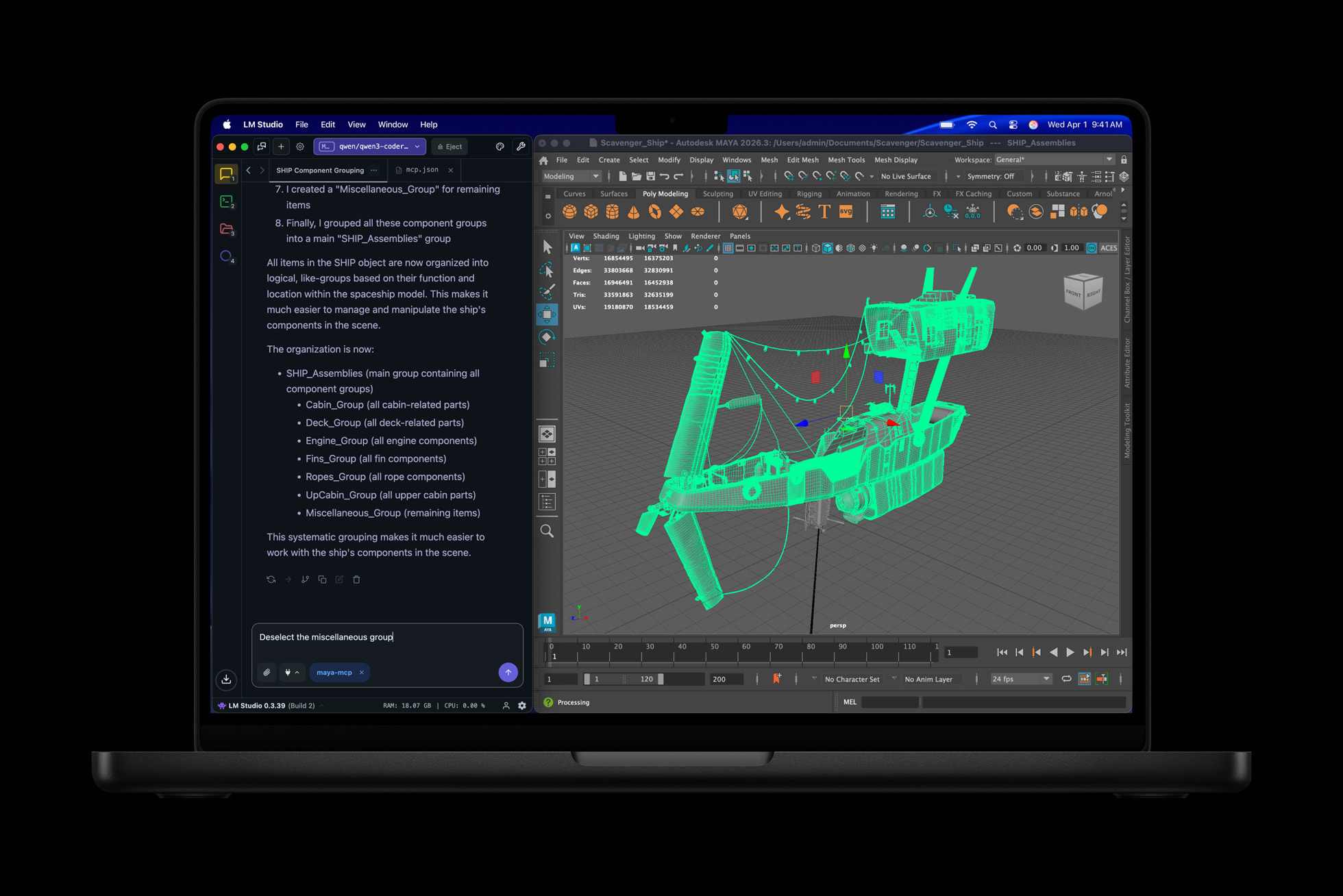
You're paying for a ChatGPT or Claude subscription every month. Every prompt you send — your client brief, your code, your half-formed ideas — leaves your machine and lands on someone else's server. Two years ago, that was simply the cost of doing business with a capable AI. In 2026, that constraint has evaporated. Running local LLMs on consumer hardware is not just feasible but, for a growing number of developers and organisations, the preferred default. Open-weight models have reached performance parity with the best cloud offerings, and the hardware question has narrowed to something specific: how much memory do you actually need, and does Apple Silicon's architecture genuinely change the equation? The answer hinges on one number — 24GB — and on understanding why the word 'unified' in front of 'memory' matters more than the gigabyte count alone.
Why Unified Memory Beats Discrete VRAM for Local Models
Think of a conventional gaming PC's GPU like a hawker stall with a tiny counter — the RTX 4090 has 24GB of VRAM, and that counter is all the working space the GPU gets. The moment a model is too large to fit on that counter, the system starts shuffling ingredients back and forth from the kitchen (system RAM) over a slow hatch (the PCIe bus), and throughput collapses. Apple Silicon's unified memory architecture removes the hatch entirely. The CPU, GPU, and Neural Engine all share the same memory pool, so a 24GB M5 Pro can use every gigabyte for model weights without any PCIe penalty. On a conventional desktop, a 12GB RTX 4070 cannot hold a 70B parameter model in any quantization format without offloading layers to system RAM over PCIe, which tanks throughput. The Mac with up to 96GB unified memory can run 70B models on a single device; the RTX 4090 at 24GB VRAM requires dual-GPU setups for the same task. The tradeoff is raw speed: for models that do fit entirely in VRAM, the RTX 4090 generates tokens at 80–140 tokens per second for 7B–13B Q4 models, versus 25–50 tokens per second on Apple Silicon chips. Faster throughput on NVIDIA, but a hard ceiling the Mac doesn't have.
The Memory Tier Breakdown: What Actually Runs at 8GB, 16GB, and 24GB
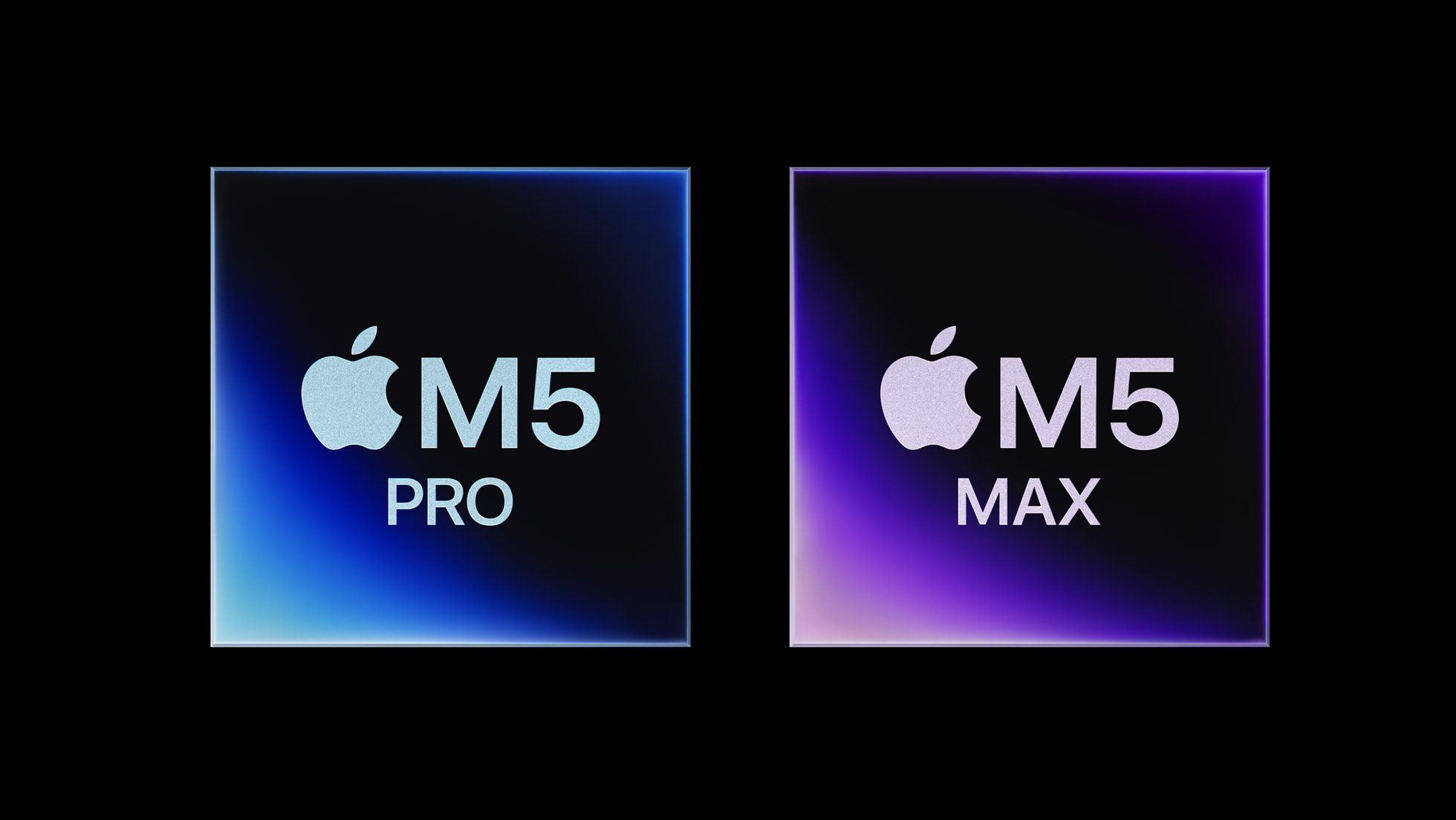
Memory tier determines which model sizes are practical, not just possible. At 8GB unified memory, you're working with 7B parameter models at Q4 quantization — capable for single-turn chat and basic code completion, but context window limits bite quickly and you'll feel the constraints on anything requiring extended reasoning. At 16GB, the picture improves meaningfully: 13B models run comfortably at Q4, and smaller 7B models can run at higher precision with more headroom for context. The SitePoint Apple Silicon guide notes that disk space requirements scale accordingly — 7B Q4 models require around 4GB, while 70B Q4 models require around 40GB. The 24GB tier is where the calculus shifts. A 24GB M5 Pro can run 32B parameter models at Q4_K_M quantization, achieving around 17–18 tokens per second — slower than an RTX 4090's 40–42 tokens per second on the same task, but without the dual-GPU requirement or the 350–450W power draw. The M3 Max at 128GB handles 70B Q4_K_M at around 14 tokens per second with no layer offloading at all. Quantization is the lever that makes all of this work: MLX natively supports quantization, and converting a 7B Mistral model to 4-bit takes only a few seconds using mlx_lm.convert. --- **📦 Jargon-Free Explainer: Quantization** A full-precision AI model stores each number using 16 or 32 bits. Quantization shrinks that to 4 or 8 bits per number — like compressing a WAV audio file to MP3. The model gets smaller and faster to run, with some quality loss. Q4 means 4-bit quantization; Q8 is higher quality but uses roughly twice the memory. Q4_K_M is a specific variant that balances quality and size particularly well for inference. ---
The Three Toolchains Worth Knowing: Ollama, LM Studio, and MLX
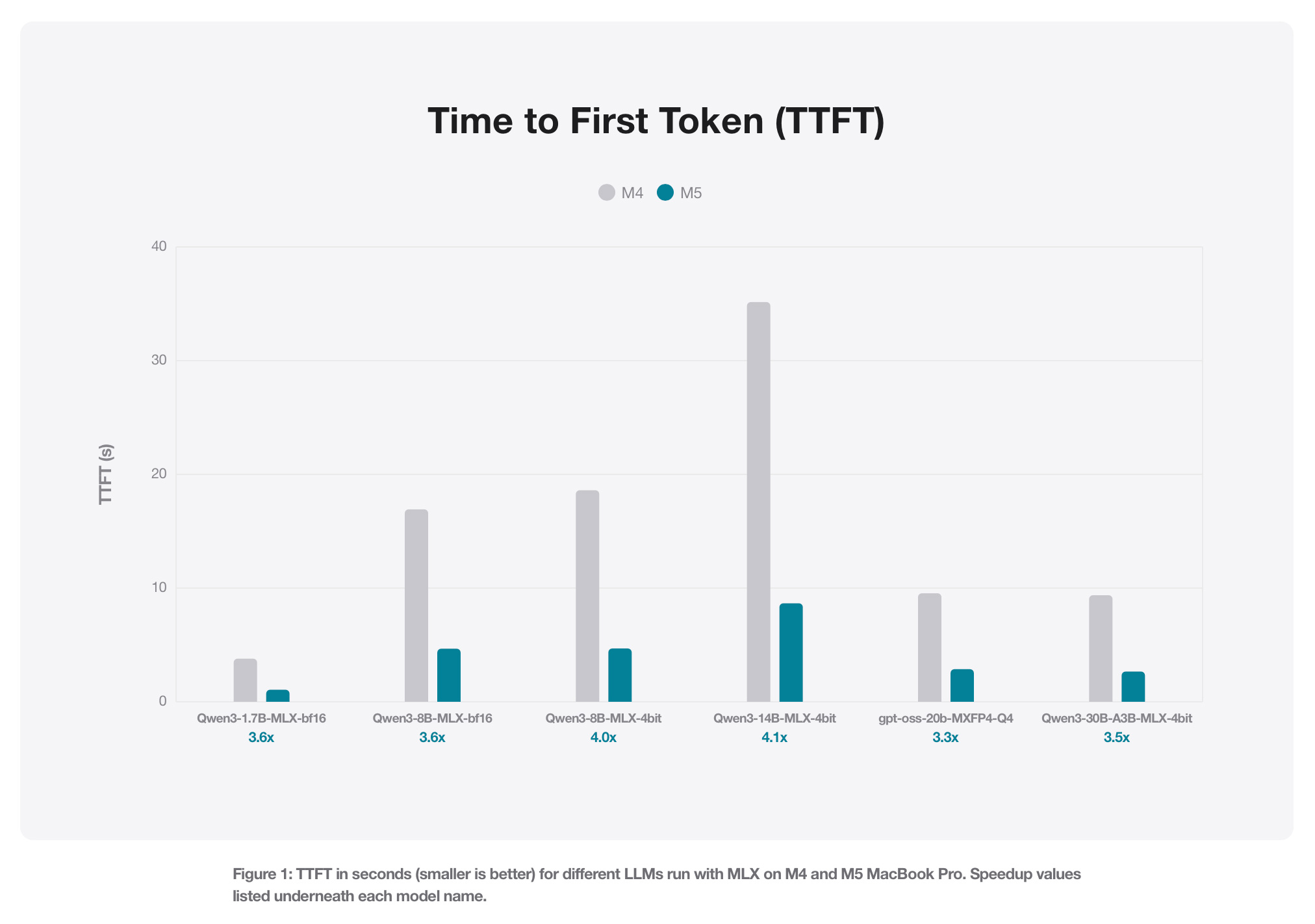
Three tools dominate local LLM inference on Apple Silicon in 2026, and they serve different users. **Ollama** is primarily a command-line tool — the fastest path from zero to running a model, but setup friction is real for non-developers. Its March 2026 0.19 update added MLX backend support, delivering a prefill speed increase from 1,154 tokens per second to 1,810 tokens per second, and decoding speed nearly doubling from 58 to 112 tokens per second. With int4 quantization, it reaches 1,851 tokens per second prefill and 134 tokens per second decode. M5-series chips see the largest gains thanks to the new GPU Neural Accelerators. The current preview targets Alibaba's Qwen3.5-35B-A3B and requires at least 32GB of unified memory; broader model support is planned. **LM Studio** provides a graphical interface that makes model management accessible without touching a terminal — Apple itself featured it in MacBook Pro M5 Pro launch materials. **MLX** is Apple's open-source array framework, the engine underneath the other two on Apple Silicon. It runs operations on CPU or GPU without moving memory around, supports quantization natively, and is the reason the M5's Neural Accelerators (dedicated matrix-multiplication hardware in each GPU core) translate directly into faster inference. For developers who want control, MLX Python is pip-installable; for everyone else, Ollama or LM Studio abstracts the complexity.

The Case for Local AI as Default — and Where Cloud Still Wins
The privacy argument is straightforward: data never leaves the machine. For developers handling sensitive code, proprietary logic, or regulated data, local inference eliminates an entire category of compliance risk. The cost argument is also real — per-token API costs disappear after hardware purchase, replaced only by electricity. The latency argument is more nuanced: there's no network round-trip, but first-token generation latency still depends on local hardware. Where cloud wins is at the frontier. Local models still lag behind cloud-based frontier models in benchmarks, and the gap is most visible on complex multi-step reasoning. The full 671B DeepSeek R1 mixture-of-experts model remains out of reach for consumer hardware entirely. The practical frame is task-matching: local models are good enough for code completion, document summarisation, private data pipelines, and extended chat — tasks where you'd otherwise pay a subscription. Cloud remains the better call for the hardest reasoning problems and for workloads that need the absolute latest frontier capability. The M5 Pro and M5 Max deliver up to 4x AI performance compared to the previous generation, and up to 8x compared to M1 models, running at 30–60W under load versus 350–450W for a discrete GPU desktop — which means the laptop stays silent and the battery lasts up to 24 hours even under AI workloads.

What to Watch Next: The 24GB Sweet Spot and What Changes It
24GB is the current threshold where Apple Silicon becomes genuinely capable for serious local AI work — enough headroom for 32B models, enough to run coding agents and personal assistants without constant memory pressure, and enough to benefit fully from Ollama's MLX backend. The M5 Pro starts at 24GB unified memory with 273GB/s memory bandwidth; the M5 Max scales to 128GB at 614GB/s. Three developments are worth tracking. First, Ollama's MLX support is still in preview and currently limited to one model — as it expands to more architectures, the practical model library for Mac users grows substantially. Second, Google's Gemma 4 MTP drafters deliver up to 3x inference speedup through speculative decoding on MLX, tested directly on Apple Silicon — compression and efficiency techniques are moving as fast as model sizes. Third, MacRumors reporting in May 2026 noted Apple is considering dropping the cheapest MacBook Neo configuration, which signals the Neo line's memory configuration is still in flux. If the Neo ships with a higher base memory tier than the current M5, the 24GB calculus shifts upward. For now, 24GB unified memory on an M5 Pro is the point where local AI stops being a hobbyist experiment and starts being a credible daily workflow.
Sources
- [1]Local LLM Hardware Requirements: Mac vs PC 2026 — SitePoint
- [2]Exploring LLMs with MLX and the Neural Accelerators in the M5 GPU — Apple Machine Learning Research
- [3]Apple shows how much faster the M5 runs local LLMs on MLX — 9to5Mac
- [4]The Definitive Guide to Local LLMs in 2026: Privacy, Tools, & Hardware — SitePoint
- [5]Mac M3 Max vs RTX 4090: Local LLM Performance Showdown 2026 — SitePoint
- [6]Apple introduces MacBook Pro with all-new M5 Pro and M5 Max — Apple
- [7]We Review the M5 MacBook Pro: The Powerhouse That Redefines Portable Performance — Fstoppers
- [8]MacBook Pro M5 Pro / M5 Max UAE Price from Dhs 9,299 | Full Specs — Tbreak Media
- [9]Local LLMs Apple Silicon Mac 2026 | M1 M2 M3 Guide — SitePoint
- [10]Local LLM Hardware Requirements: Mac vs PC 2026 — SitePoint
- [11]Running local models on Macs gets faster with Ollama’s MLX support — Ars Technica
- [12]Ollama Now Runs Faster on Macs Thanks to Apple's MLX Framework — MacRumors
- [13]Accelerating Gemma 4: faster inference with multi-token prediction drafters — blog.google
- [14]Google’s TurboQuant: The Unsexy AI Breakthrough Worth Watching — Stark Insider
- [15]Ollama, a local AI execution tool, now supports MLX, resulting in faster performance on Macs. — GIGAZINE
- [16]Llama 4 Scout on MLX: The Complete Apple Silicon Guide (2026) — SitePoint
- [17]The Definitive Guide to Local LLMs in 2026: Privacy, Tools, & Hardware — SitePoint
- [18]DeepSeek R1 RTX 4090 vs Apple M3 Max: Benchmark & Performance Guide — SitePoint
Comments
No comments yet — be the first to weigh in.